 tenax
Guide / Notifications
Know when Claude Code needs you.
Walk away from your desk. Your phone buzzes when Claude Code stops for you, and one tap opens the session where it waits.
When your phone buzzes
Tenax reads the Claude Code session on your computer and sends a notification when Claude:
- needs your permission to run a command or edit a file;
- asks you a question or shows you a plan;
- finishes its work;
- fails, or its session ends during a run.
Codex, Grok and other supported agents notify you the same way. A tool that sends a terminal notification (OSC 9, 777 or 99) reaches your phone too.
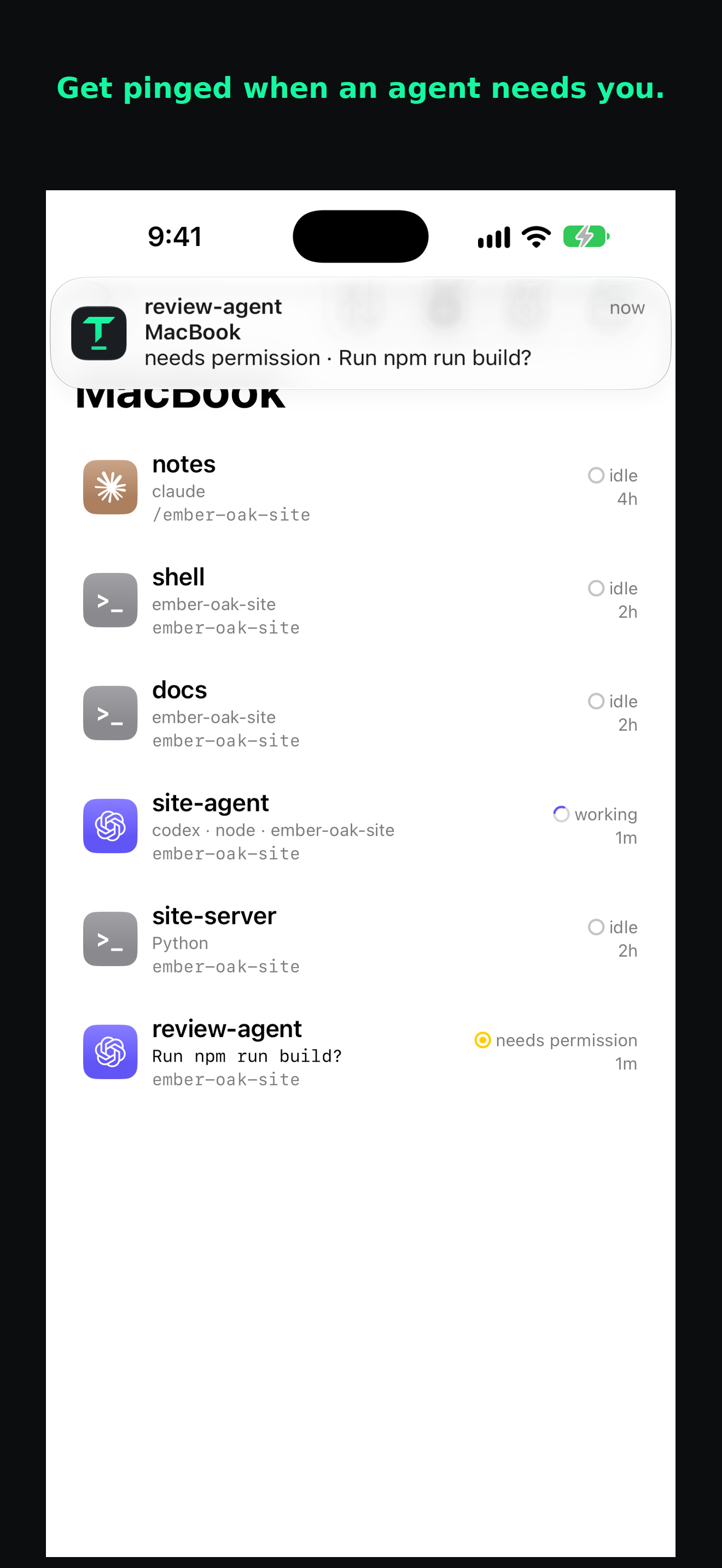
Tap it, then answer
Tap the notification to open that session on your phone. Claude's prompt is on the screen. Answer it with the keyboard or the key bar, and Claude carries on.
The session runs on your computer the whole time. Nothing restarts when you open it.
Keep it quiet
Mute any session when you want quiet. A session sends notifications after you open it once in Tenax, or create it in the app.
Your computer encrypts each notification for your phone before it is sent. Our servers and Apple or Google deliver it but cannot read it. How Tenax protects your session →
Set up Tenax
- Install Tenax on your iPhone, iPad or Android phone, open it, and sign in. Allow notifications.
- Install Tenax on the computer where you use Claude Code. Approve its sign-in code on your phone.
- Open a session and run
claude.
Nothing to add to Claude Code's settings. No hooks, no scripts. Full setup guide →
Stop checking. Get told.
One installer for your computer, one app for your phone.
Get started